A CAM workbench and GRBL sender for hobby routers. Draw signs, boards
and V-carve inlays, check the toolpaths, then stream the job to the
machine. Nothing to install. Your designs never leave your device.
Offline-first PWAGRBL · Genmitsu 4040V-carve & inlayYour files stay local
Everything is unlocked while we are in preview. The
core workflow — draw, check, cut — is free and stays free. The advanced
bits (template gallery, text on a curve, inlay, batch names, every
machine profile) come with a
14-day trial you start from inside the app: no card, no
e-mail, one click. Pricing comes later and is not published yet, so
there is currently nothing to buy and nothing to cancel.
Three steps, and you cannot skip one
Cut stays locked until a program has been checked. Edit the design
afterwards and it locks again.
Step 1
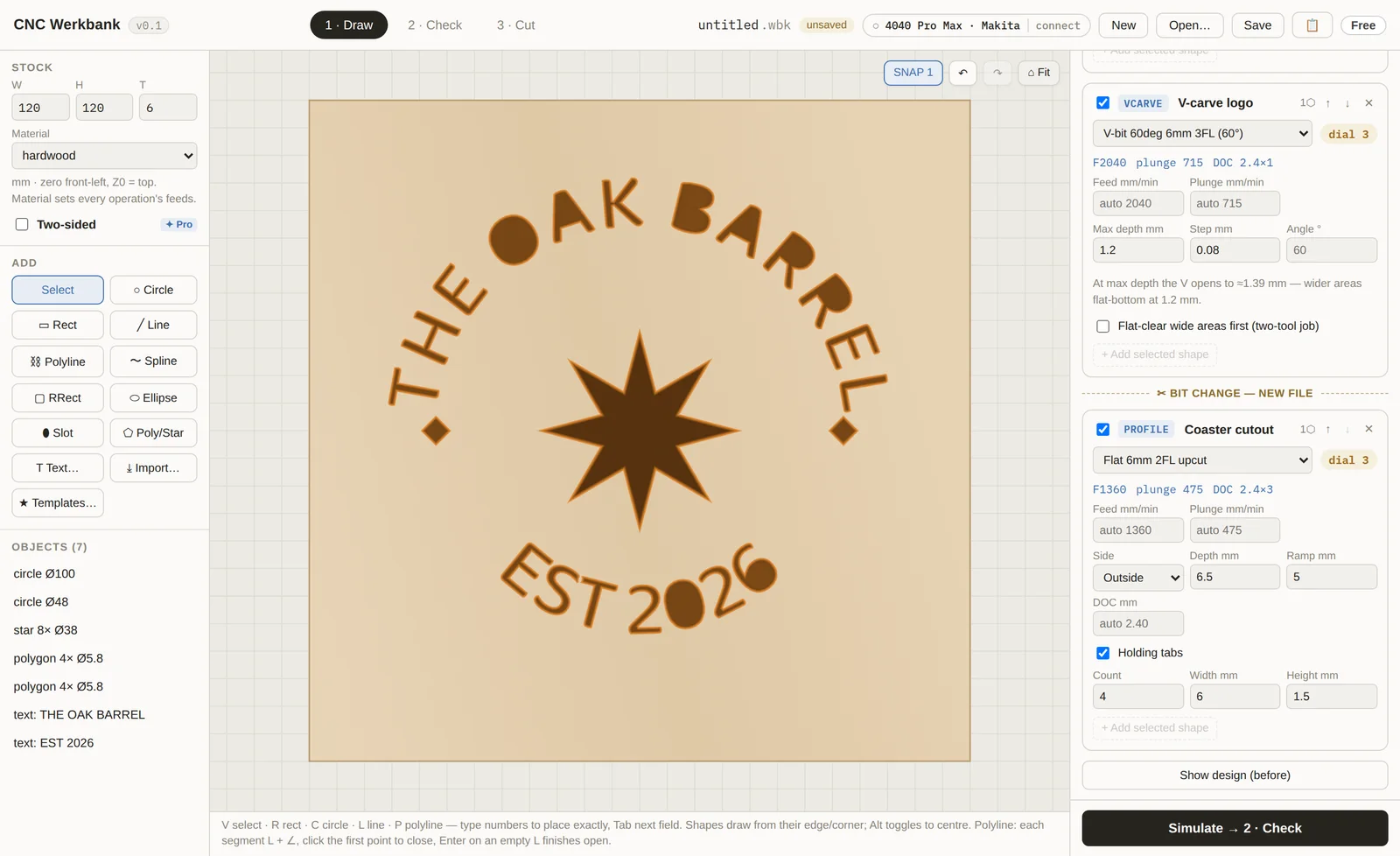
Draw
Start from a template or from primitives, set your stock and
material, then add operations. Feeds and speeds come from a real bit
library — not guesses.
Signs, boards, coasters, house numbers
True V-carve and inlay
Text on a curve, or your own font file
Profile, pocket, groove, drill, engrave
Draw — the carve preview shows the finished piece, not just
outlines.
Step 2
Check
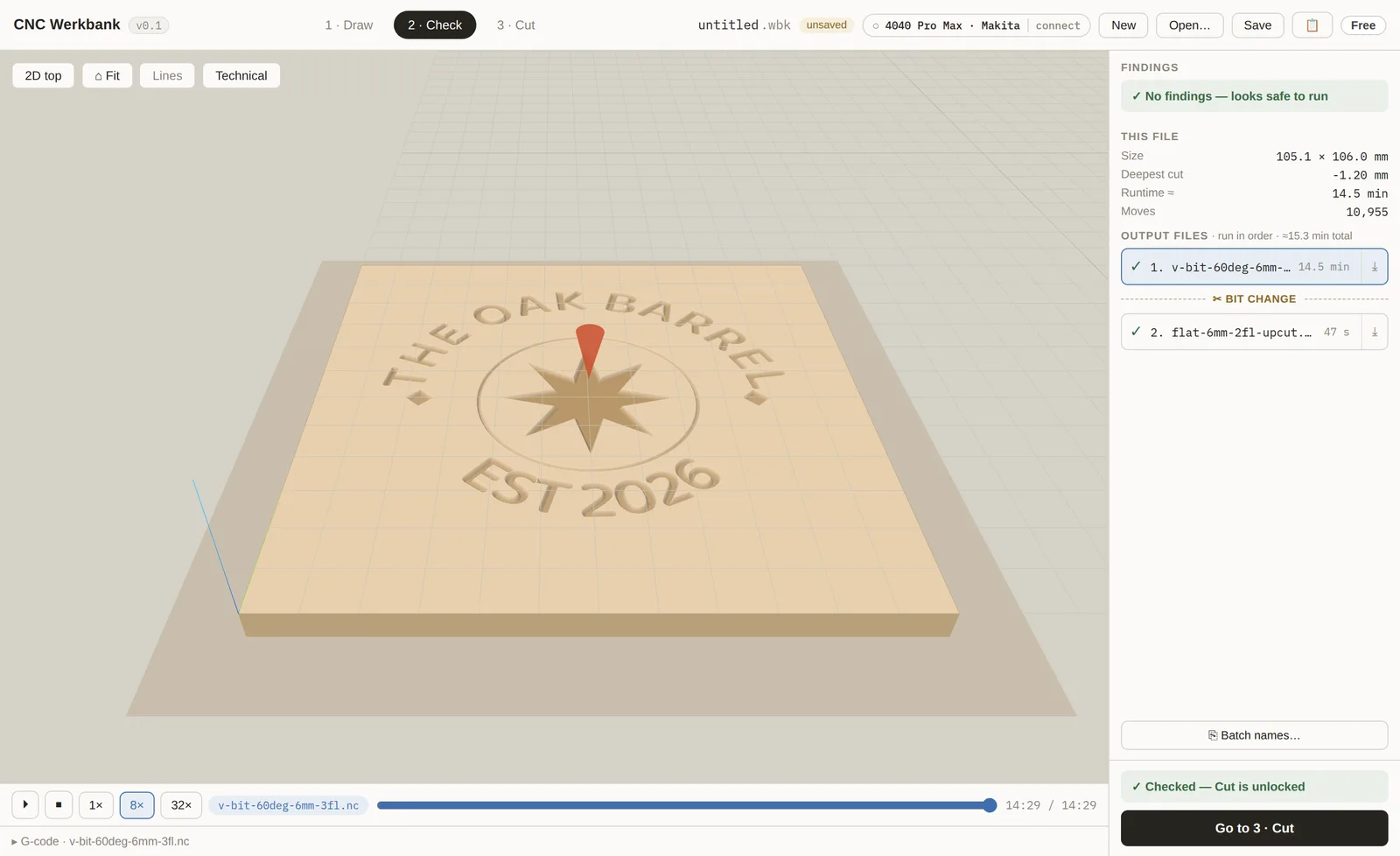
Every program is linted and simulated before it can run. You see the
cut, the runtime, and anything that looks wrong — while it is still
free to fix.
Full material-removal simulation, rendered in your stock
G-code linted against your machine's limits
Toolpath checked against the work envelope
Runtime estimate and per-file bit changes
Check — the simulated result, rendered in the material you picked.
Step 3
Cut
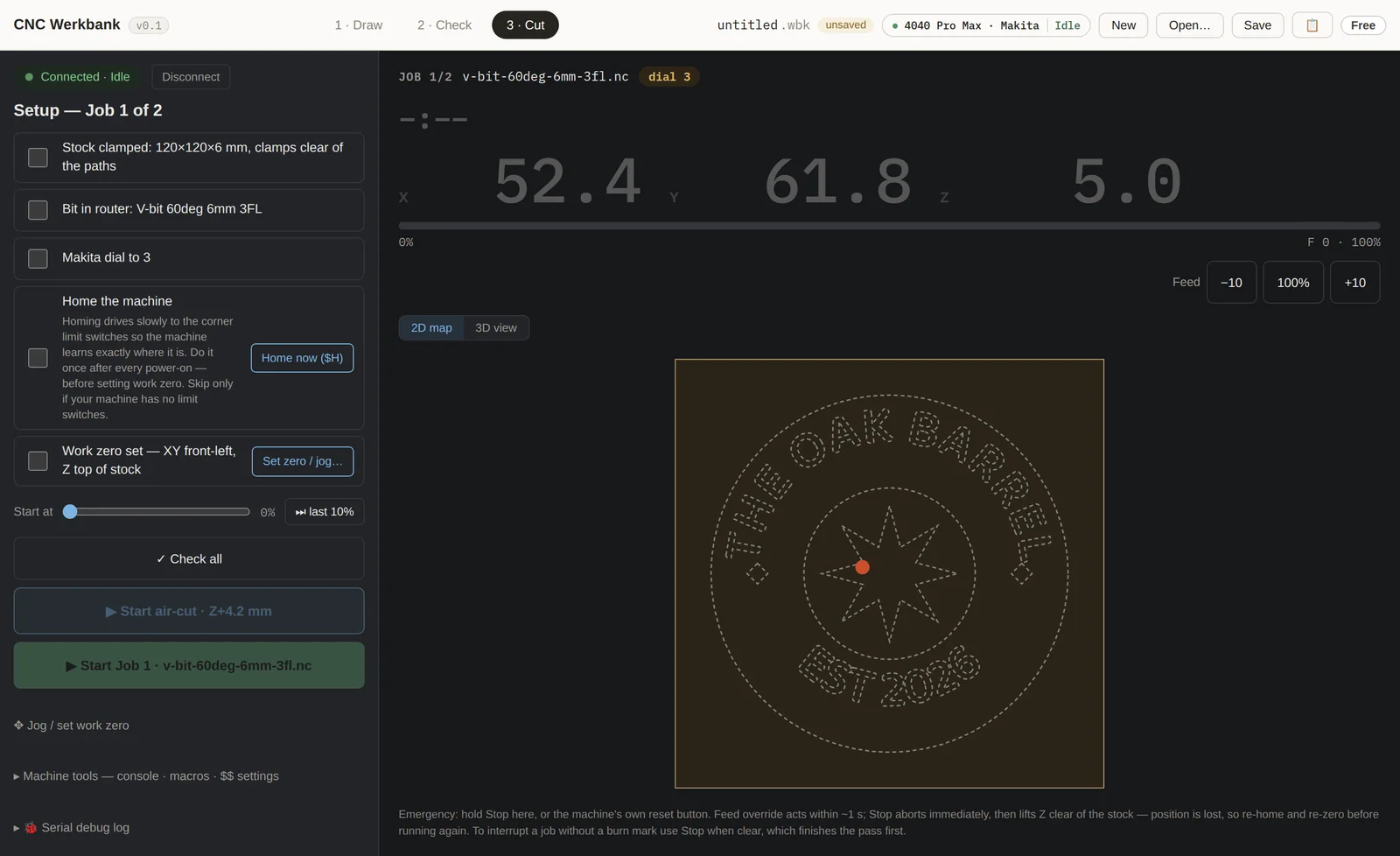
The sender is built in, so there is no second program to configure.
A staged checklist keeps Start locked until the machine is actually
ready — and nothing ever starts on its own.
Clamp → bit → dial → home → work zero, in order
Air-cut dry run above the stock first
Live position readout and feed override
Hold-to-stop, so a stray click cannot abort a job
Cut — Start stays locked until every box is ticked.
Before you use it on a real machine. CNC Werkbank
drives a router that can hurt you, and this is an early release: check
every program, air-cut before you cut for real, and stay at the machine.
Cutting needs a Chromium browser (Chrome, Edge, Brave,
Opera, or Chromium on Android) because it talks to the controller over
Web Serial — Firefox and Safari can draw and check, but cannot send the
job.
Your work stays yours. Designs, projects and G-code are
processed entirely in your browser and are never uploaded. The backend
only ever sees your licence state and, if you ask for updates, your
e-mail address — that is the whole privacy story, and the
privacy policy lists every row we keep.
Get product updates
Confirm your address once, then the occasional email when pricing opens
or something notable ships. No spam, unsubscribe any time. You do not
need this to use the app.
We use double opt-in: submitting the form sends you one confirmation
email, and your consent to receive product updates is given by clicking
the link in it (Art. 6(1)(a) GDPR). Until you do, we send you nothing
else, and an unconfirmed address is deleted shortly after those 48
hours. You can withdraw at any time via the unsubscribe link in every
mail we send you once you have confirmed; a confirmed address is deleted
after 24 months at the latest. See the
privacy policy.